Example example_unnamed-module_accessing-module-path
Part of the full Java 9 Jigsaw modules example suite.
|
Authors
Originally written by Martin Lehmann, Kristine Schaal and Rüdiger Grammes (cf. original repository). Migrated for Java Modules support documentation of Apache MavenTM in the course of the Maven Support & Care program by Gerd Aschemann (and other team members) as forked repository. Please add discussions, requirements, bugfixes, etc. to the fork instead of the original. |
What is this example about?
Modules in this example
-
modb, and also classes for the unnamed module (cpb, cpmain)
-
cpmain contains a Main class which are started in run.sh
Module Dependency Graph, created with DepVis
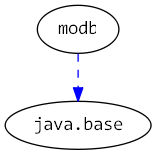
Example shows …
The examples illustrates the accessibility rules access from Main class in cpmain which are on the classpath (i.e. in the unnamed module).
It can access all classes both when …
-
… they are in a named module in the explicit module
modb(but only if the corresponding packages are exported!) -
… they are in the unnamed module.
Note that is a class exists both on the classpath and in a module on the module path, the latter is taken. Hence code in a module 'covers' code on the classpath!
The script run.sh starts both the main class cpmain.
Output
This example uses golden master testing to ensure output consistency.
The expected output is compared with actual output using verify.sh.
Expected Output
We are calling various classes from class pkgcpmain.Main (which is on the classpath, i.e. in the unnamed module)

1. Classpath code calling code in an explicit module on the module path
a. ... calling an exported class B which is in module modb: from pkgb.BFromModule
b. ... calling an internal, non-exported class which is in module modb - results in a java.lang.IllegalAccessError:
We caught the expected 'IllegalAccessError'

2. Classpath code calling a class which is also on the classpath
... calling BFromClasspath which is on the classpath: from pkgboncp.BFromClasspath

3. Classpath code calling a class which is on the classpath, but whose package name is 'covered' by a package in a module on the module path - results in a java.lang.NoClassDefFoundError
NoClassDefFoundError: pkgb.BFromClasspath can't be found, as it is hidden by pkgb in modb!

4. Classpath code calling a class which is both on the classpath and in a module on the module path - will use the latter from module modb:
... calling B which is both on the module path and on the classpath: from pkgb.B (in modb)
Actual Output
We are calling various classes from class pkgcpmain.Main (which is on the classpath, i.e. in the unnamed module)

1. Classpath code calling code in an explicit module on the module path
a. ... calling an exported class B which is in module modb: from pkgb.BFromModule
b. ... calling an internal, non-exported class which is in module modb - results in a java.lang.IllegalAccessError:
We caught the expected 'IllegalAccessError'

2. Classpath code calling a class which is also on the classpath
... calling BFromClasspath which is on the classpath: from pkgboncp.BFromClasspath

3. Classpath code calling a class which is on the classpath, but whose package name is 'covered' by a package in a module on the module path - results in a java.lang.NoClassDefFoundError
NoClassDefFoundError: pkgb.BFromClasspath can't be found, as it is hidden by pkgb in modb!

4. Classpath code calling a class which is both on the classpath and in a module on the module path - will use the latter from module modb:
... calling B which is both on the module path and on the classpath: from pkgb.B (in modb)
Maven 4 Output
We are calling various classes from class pkgcpmain.Main (which is on the classpath, i.e. in the unnamed module)

1. Classpath code calling code in an explicit module on the module path
a. ... calling an exported class B which is in module modb: from pkgb.BFromModule
b. ... calling an internal, non-exported class which is in module modb - results in a java.lang.IllegalAccessError:
We caught the expected 'IllegalAccessError'

2. Classpath code calling a class which is also on the classpath
... calling BFromClasspath which is on the classpath: from pkgboncp.BFromClasspath

3. Classpath code calling a class which is on the classpath, but whose package name is 'covered' by a package in a module on the module path - results in a java.lang.NoClassDefFoundError
NoClassDefFoundError: pkgb.BFromClasspath can't be found, as it is hidden by pkgb in modb!

4. Classpath code calling a class which is both on the classpath and in a module on the module path - will use the latter from module modb:
... calling B which is both on the module path and on the classpath: from pkgb.B (in modb)
Maven 4 Migration
This example required a special migration approach due to mixing modular code with classpath code (unnamed module).
Standard Migration
The module (modb) was migrated using the standard Module Source Hierarchy approach documented in the central Maven 4 Migration guide.
Special Handling: Classpath Code
This example demonstrates classpath code (unnamed module) accessing modules on the module-path via --add-modules.
- Problem
-
Maven 4’s Module Source Hierarchy requires module descriptors (module-info.java) for all source entries. The
cpbandcpmainpackages are classpath code without module-info.java and cannot be included in the<sources>element. - Solution
-
Hybrid compilation approach in
m4/compile.sh:-
Maven compiles the module (modb) first:
<sources> <source> <module>modb</module> <directory>src/modb/main/java</directory> </source> </sources> -
Manual javac invocation compiles cpb and cpmain to cplib/:
for dir in cpb cpmain; do javac -cp ../m4/mlib/*:../m4/classes/cpb \ -d ../m4/classes/${dir} --release 11 \ $(find ${dir} -name "*.java") jar --create --file=../m4/cplib/${dir}.jar \ -C ../m4/classes/${dir} . done -
Runtime uses separate paths:
java --module-path mlib \
     --class-path cplib/cpmain.jar:cplib/cpb.jar \
     --add-modules modb pkgcpmain.Main
-
This hybrid approach is necessary because:
-
Maven 4’s Module Source Hierarchy is designed for modular code only
-
Classpath code (unnamed module) must be compiled separately and placed on the classpath
-
The
--add-modules modbflag makes the module available to classpath code -
Compilation order matters: cpb must be compiled before cpmain (cpmain depends on cpb)
-
Separating cplib/ from mlib/ maintains the classpath/module-path distinction